Shared vs VPS Hosting Explained: What You Really Pay in 2026
Shared hosting costs less than a cup of coffee a month. A VPS promises more speed and control, but costs more and asks more of you.
So which one do you actually need? This guide breaks down shared vs VPS hosting in plain English, with real 2026 prices, renewal rates and 3-year totals.
Disclosure: SoftwareStackPro may earn a commission if you sign up through some links on this page. It never changes our verdicts.

What Is Shared Hosting?
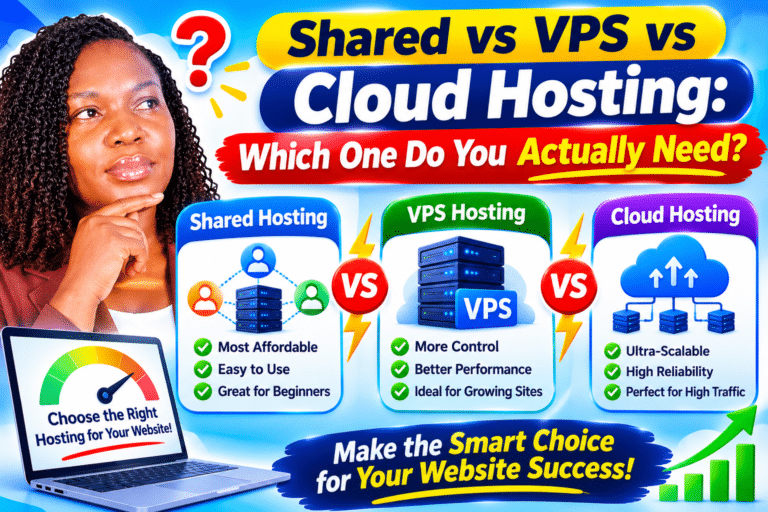
Shared hosting puts hundreds of websites on one server. Every site shares the same CPU, memory and storage.
Think of it like renting a room in a busy hostel. It is cheap and the landlord handles everything, but a noisy neighbour can keep you up at night.
Your host manages security updates, server software and backups. You just log into a control panel and install WordPress in a few clicks.
Shared hosting pros
- Lowest cost, often under $4 a month on intro pricing
- No technical skills needed
- Free domain, SSL and email usually included
- The host handles server maintenance
Shared hosting cons
- Other sites can slow yours down
- Strict limits on CPU and memory use
- No root access or custom server software
- Big renewal price jumps after year one
What Is VPS Hosting?
A VPS (Virtual Private Server) splits one physical server into several virtual machines. Each one gets its own guaranteed slice of CPU, RAM and storage.
It is like moving from a hostel into your own apartment. You share the building, but your rooms, your power and your lock are yours alone.
You also get root access. That means you can install any software, tune the server and run apps that shared hosting would block.
VPS hosting pros
- Dedicated resources, so neighbours cannot steal your speed
- Handles traffic spikes far better
- Full control over server settings and software
- Easy to scale up RAM and CPU as you grow
VPS hosting cons
- Costs more each month
- Unmanaged plans need Linux and security skills
- You are responsible for updates, backups and fixes
- Mistakes can take your site offline
Shared vs VPS Hosting: Side-by-Side Comparison
Here is how the two stack up on the things that matter most.
| Feature | Shared Hosting | VPS Hosting |
|---|---|---|
| Resources | Shared with other sites | Guaranteed CPU and RAM |
| Performance | Good for low traffic | Strong under heavy traffic |
| Root access | No | Yes |
| Technical skill | None needed | Moderate to high (unmanaged) |
| Server management | Done by host | Done by you (unless managed) |
| Scalability | Limited | Upgrade in minutes |
| Security | Shared risk | Isolated environment |
| Best for | New blogs, small business sites | Growing sites, stores, apps |
Real Cost Breakdown: Shared vs VPS in 2026
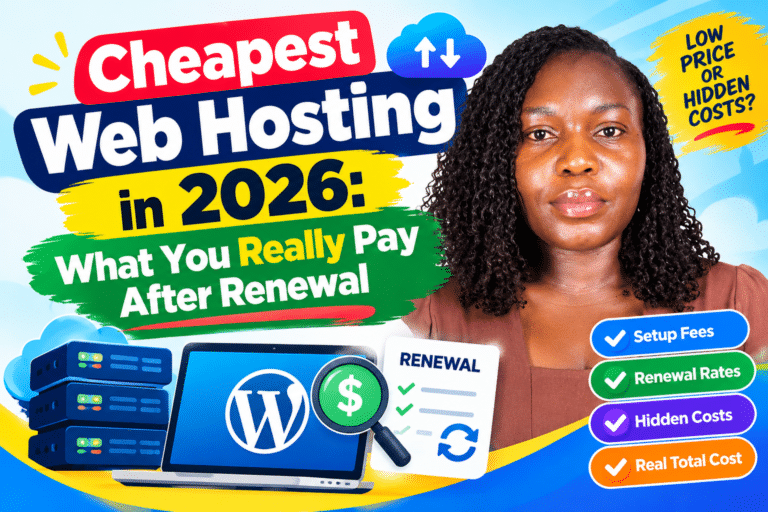
This is where most hosting guides fall short. They show the intro price and skip what you pay after renewal.
The table below shows both. Prices are in US dollars and were checked against public pricing data in 2026.
| Plan | Type | Intro Price | Renewal Price | Notes |
|---|---|---|---|---|
| Hostinger Premium | Shared | $2.99/mo (48-month term) | $10.99/mo | Same renewal rate whatever term you buy |
| Bluehost Starter | Shared | $3.99/mo (36-month term) | $9.99/mo | Business plan renews at $13.99/mo |
| Hostinger KVM 1 | VPS (self-managed) | $4.99 to $6.49/mo | $9.99 to $11.99/mo | 1 vCPU, 4 GB RAM, 50 GB NVMe |
| DigitalOcean 1 GB Droplet | VPS (unmanaged) | $6/mo | $6/mo | No promo pricing, backups add 20% |
| DigitalOcean 2 GB Droplet | VPS (unmanaged) | $12/mo | $12/mo | Better fit for a busy WordPress site |

The 3-year math
Let us compare what you really spend over three years. These scenarios use a 12-month first term, then renewal pricing.
| Scenario | Year 1 | Years 2 and 3 | 3-Year Total |
|---|---|---|---|
| Hostinger Premium (shared) | $47.88 | $263.76 | $311.64 |
| DigitalOcean 1 GB + backups | $86.40 | $172.80 | $259.20 |
| DigitalOcean 2 GB + backups | $172.80 | $345.60 | $518.40 |
Surprised? A small unmanaged VPS can cost less than shared hosting over three years. That is because VPS providers like DigitalOcean have no intro discount and no renewal jump.
But the price tag is not the full story. The VPS total leaves out the hours you will spend setting up and maintaining the server.
The Hidden Costs Nobody Mentions
Before you jump to a VPS to save money, count these extras.
- Your time. Unmanaged VPS means you install updates, set firewalls and fix errors yourself.
- Backups. DigitalOcean charges 20% of the Droplet price for weekly backups.
- Control panel. Some VPS providers charge for cPanel licenses. Hostinger includes its own hPanel free.
- Email hosting. Most VPS plans do not include email, so you may pay for it separately.
- Price changes. Hetzner raised some cloud prices by as much as 2.75 times in June 2026, a reminder that VPS pricing can move too.
Does Hosting Type Really Affect Speed?
Yes, and speed affects your traffic and income. Google research found that the chance of a visitor bouncing rises 32% as page load time goes from one to three seconds.
Speed stats worth knowing:
- Bounce probability jumps 32% when load time goes from 1 to 3 seconds (Shopify, citing Google).
- Sites that load in one second can convert 2.5 to 3 times better than sites that load in five seconds.
- WordPress powers about 42% of all websites (W3Techs), so most readers face this choice on WordPress.
On shared hosting, a traffic spike on a neighbour’s site can slow yours down. On a VPS, your resources are reserved, so performance stays steady.
For a small blog with a few thousand visitors a month, good shared hosting is usually fast enough. Speed problems tend to show up as you grow.
When Shared Hosting Is Enough
Stick with shared hosting if most of these sound like you.
- You are launching your first website or blog
- You get under roughly 25,000 visits a month
- You have no interest in managing a server
- Your site runs standard WordPress with common plugins
- Your budget is tight in year one
Not sure which shared plan to pick? See our guide to the cheapest web hosting for beginners that is actually good.
7 Signs You Have Outgrown Shared Hosting
Watch for these warning signs. Two or more usually means it is time to upgrade.
- Your host emails you about high CPU or resource usage
- Pages slow down during busy hours
- You see “508 Resource Limit Reached” errors
- Your traffic is growing month after month
- You run a WooCommerce store with real sales
- You need software your host will not install
- You want stronger isolation for security reasons
Managed vs Unmanaged VPS: Which Should You Pick?
Not all VPS plans are equal. The big split is who looks after the server.
Unmanaged VPS gives you a bare server and full control. It is cheapest, but you handle everything from security patches to backups.
Managed VPS costs more, but the host handles updates, monitoring and support. It is the safer choice if you are not comfortable on the Linux command line.
Hostinger’s KVM plans sit in between. They are self-managed, but the hPanel dashboard and one-click setups make them friendlier for beginners.
Our Verdict: Shared vs VPS Hosting
Choose shared hosting if you are just starting out and want the simplest, cheapest path online. Lock in a long term to delay the renewal jump.
Choose a VPS once your site earns money, gets steady traffic or needs custom software. The extra few dollars a month buy speed, stability and room to grow.
Comparing specific hosts? Read our Bluehost review with real renewal costs and our breakdown of what cheap hosting really costs after renewal.
Building a site in Africa? Our guide to the best WordPress hosting for beginners in Kenya and Africa covers local payment and speed tips.
See Hostinger VPS Plans See Bluehost Shared Plans See DigitalOcean Pricing
Frequently Asked Questions
Is VPS hosting better than shared hosting?
A VPS is more powerful, but it is not better for everyone. Shared hosting is the smarter pick for new, low-traffic sites because it is cheaper and fully managed.
How much does VPS hosting cost per month?
Entry VPS plans start around $5 to $6 a month. After promo periods end, expect roughly $7 to $15 a month for a small server.
Can I upgrade from shared hosting to VPS later?
Yes. Most hosts, including Hostinger and Bluehost, offer upgrade paths, and many will migrate your site for you.
Is a VPS hard to manage for beginners?
An unmanaged VPS can be tough without Linux skills. A managed VPS, or one with a friendly dashboard like Hostinger’s hPanel, is much easier.
Do I need a VPS for WordPress?
Not at first. Most new WordPress sites run fine on good shared hosting until traffic or plugins push them past their limits.
Prices were checked against public pricing pages and pricing trackers in October 2026. Hosting prices change often, so confirm current rates on each provider’s site before you buy.
Final Thoughts
Moving hosts is mostly about order. Copy first, test second, switch DNS last.
Follow that order and your visitors will never know you moved. New to WordPress? Our guide on how to start a WordPress blog covers the basics.

About Vincencia Anyango
IT graduate and freelance web specialist who has built WordPress sites and run email campaigns for clients since 2020. Every review on SoftwareStackPro is based on hands on testing. More about how I review →
Related reading :
>>>How to Move a WordPress Site to a New Host Without Downtime
>>>Cheapest Reliable Web Hosting Under $3 a Month: 4 Hosts Compared
>>>Shared vs VPS vs Cloud Hosting: Which One Do You Actually Need?