The Complete Software Stack to Launch a Blog for Under $100 a Year
Most “how to start a blog” guides quietly assume you have a few hundred dollars to spare. You don’t need it.
You can start a blog for under $100 a year with hosting, a domain, an email list and AI writing help all included. This guide shows the exact stack, the real prices, and the renewal costs most bloggers forget.
Disclosure: Some links on this page may become affiliate links. If you buy through them, we may earn a commission at no extra cost to you. Read our affiliate disclosure.
Quick answer: Hostinger Premium hosting ($47.88 for year one, free domain included) plus WordPress, Kit’s free email plan and a free AI assistant comes to $47.88 in your first year.
Lock in a 48 month hosting term instead and you average about $51 a year over four years, domain renewals included.
Why a Cheap Blog Stack Still Makes Sense in 2026
Blogging isn’t dead. It just rewards people who stay consistent long enough to rank.
That is exactly why low fixed costs matter. A cheap stack lets you keep publishing for months before the traffic arrives.
53%of trackable website traffic comes from organic search (BrightEdge)
40.2%of all websites run on WordPress (W3Techs, Oct 2026)
$36average return for every $1 spent on email marketing (Litmus)
~3.5 hrsaverage time to write one blog post (Orbit Media, 2025)
According to BrightEdge data reported by Search Engine Journal, organic search drives over half of all trackable traffic. Paid search brings in only 15%.
So your money is better spent on a reliable host and a good email tool than on ads. Let’s build the stack piece by piece.
The Under $100 Blog Stack at a Glance
Here is the full stack with first year costs. Every price was checked on 22 October 2026.
| Stack Layer | Tool | Year 1 Cost | Plan For After Year 1 |
|---|---|---|---|
| Hosting | Hostinger Premium (12 months) | $47.88 | Renews at about $10.99/month |
| Domain | Free with Hostinger hosting | $0 | About $20/year renewal |
| Blog platform | WordPress.org | $0 | $0 |
| Theme | Free theme (Astra, Kadence or GeneratePress) | $0 | $0 |
| SEO plugin | Yoast SEO (free) | $0 | $0 |
| Email marketing | Kit free plan | $0 | $0 up to 10,000 subscribers |
| AI writing help | ChatGPT Free or Claude Free | $0 | $0 |
| Analytics | Google Search Console + Site Kit | $0 | $0 |
| Total | $47.88 | Budget for renewal | |
That leaves you more than $50 of headroom inside the $100 budget. We’ll show you the smartest way to use it further down.
Layer 1: Web Hosting (Hostinger Premium)
Best value pick
Hosting is the only layer you can’t get free if you want a real WordPress blog. It’s also where most beginners overpay.
Hostinger Premium is our pick for a new blog. It runs on LiteSpeed servers, hosts multiple sites, and includes a free domain and free SSL for the first year.
What Hostinger Premium Really Costs
| Term | Monthly Rate | Paid Upfront | Average Per Year |
|---|---|---|---|
| 12 months | $3.99 | $47.88 | $47.88 |
| 24 months | $3.49 | $83.76 | $41.88 |
| 48 months | $2.99 | $143.52 | $35.88 |
Renewal warning: After your first term, Premium renews at roughly $10.99 a month. That is about $132 a year.
Put the renewal date in your calendar the day you sign up. You can check the current rates on Hostinger’s pricing page.
Want to compare hosts before you commit? Read our best website hosting guide. If you are weighing two of the cheapest options, see Bluehost vs Namecheap.Check Hostinger Premium Pricing
Layer 2: Your Domain Name
Free in year 1
Hostinger Premium includes a free domain for your first year. For most new bloggers, that’s the simplest route.
Just know the domain renews at a normal price after year one. Budget around $20 a year for a .com.
Prefer to Register Your Domain Separately?
Some bloggers keep their domain at a separate registrar. It makes switching hosts easier later.
If that’s you, act fast. Namecheap has announced that from 1 November 2026, .com registrations rise to $15.98 and renewals to $19.98 a year, before the ICANN fee.
Tip: Stick with .com where you can. Cheap first year extensions like .xyz or .info often renew at two to eight times their launch price.
Layer 3: WordPress, Theme and SEO Plugin
$0
WordPress itself is free and open source. Hostinger installs it in one click.
It’s also the safest bet for a blog. W3Techs reports WordPress powers 40.2% of all websites and 58.7% of sites with a known CMS as of October 2026.
Add these free tools and you’re set:
- A lightweight free theme: Astra, Kadence or GeneratePress all load fast and look clean.
- Yoast SEO free: handles titles, meta descriptions, sitemaps and schema. Get it from the WordPress plugin directory.
- Site Kit by Google: connects Search Console and Analytics inside your dashboard.
Skip premium themes and page builders for now. You can upgrade once your blog earns its first dollar.
Layer 4: Email Marketing (Kit Free Plan)
Best free plan
Your email list is the one audience Google can’t take away from you. Start collecting subscribers from your very first post.
Litmus research found email returns about $36 for every $1 spent. On a free plan, your only cost is time.
Kit vs MailerLite vs Mailchimp: Free Plans Compared
| Free Plan | Subscriber Limit | Best For | Main Catch |
|---|---|---|---|
| Kit | 10,000 | Bloggers and creators | 1 automation, no sequences |
| MailerLite | 250 | Clean design and landing pages | 2,500 emails a month |
| Mailchimp | 500 | Brand familiarity | Tight send limits |
Kit wins for new blogs because of its 10,000 subscriber ceiling. You can see the current limits on Kit’s pricing page.
Read our hands on Kit (ConvertKit) review for the full breakdown. Still curious about the old favorite? Our Mailchimp review explains why we no longer recommend it for beginners.Start Free With Kit
Layer 5: AI Writing and Research Tools
$0 to start
AI won’t write a ranking post for you. It will cut the grunt work around outlines, research and editing.
That matters, because Orbit Media’s annual blogger survey puts the average post at roughly 1,300 words and close to 3.5 hours of work.
Free AI Tools Worth Using
- ChatGPT Free: great for outlines, title ideas and FAQ drafts. Expect ads in some regions.
- Claude Free: strong for editing long drafts and tightening your tone.
- Google Search Console: not AI, but free and essential. It shows the exact queries already sending you traffic.
Want more options? See our list of AI tools that actually save time.
Budget check: ChatGPT Go costs $8 a month, or $96 a year. Add that to hosting and you blow past $100.
Stay on free plans until your blog brings in money. Then upgrade for a month at a time when you’re in a heavy writing sprint.
The Smartest Way to Spend the Leftover $52
Your year one stack costs $47.88. Here’s where the rest of your $100 does the most good.
Option A
Lock in a longer hosting term
Pay $143.52 for 48 months of Hostinger Premium instead of $47.88 for 12. It costs more today but averages $35.88 a year.
Add about $20 a year for domain renewals in years two to four. Your four year total lands near $204, or roughly $51 a year.
Option B
Build a renewal fund
Stay on the 12 month plan and set aside the $52. It covers a big chunk of your year two renewal.
This works if you aren’t sure the blog will last past year one.
Skip this
Premium themes and paid plugins
A $59 theme won’t make Google rank you faster. Good content and consistent publishing will.
Our pick: Option A if you’re committed. Option B if you’re testing the waters.
Year 1 vs Year 2: The Honest Numbers
Most “cheap blog” guides stop at year one. Here is what the same stack costs once the promos end.
| Cost Item | Year 1 (12 month plan) | Year 2 (after renewal) | Yearly Average (48 month plan) |
|---|---|---|---|
| Hosting | $47.88 | ~$131.88 | $35.88 |
| Domain | $0 | ~$20 | ~$15 |
| Email, AI, WordPress | $0 | $0 | $0 |
| Total | $47.88 | ~$151.88 | ~$51 |
The lesson is simple. A 12 month plan is under $100 once, while a 48 month plan keeps you under $100 every year.
How to Set Up Your Blog Stack in 6 Steps
- Buy hosting. Choose Hostinger Premium and claim your free domain at checkout.
- Install WordPress. Use Hostinger’s one click installer, then turn on the free SSL.
- Add a theme and Yoast. Install a free lightweight theme and Yoast SEO.
- Connect Google. Install Site Kit and verify your site in Search Console.
- Open a free Kit account. Embed a signup form in your sidebar and at the end of each post.
- Write your first three posts. Use a free AI tool for outlines, then write and edit in your own voice.
Not sure which tools fit your goals? Browse our recommended software stack or the full web hosting reviews section.
Frequently Asked Questions
Can I really start a blog for under $100?
Yes. Hostinger Premium for 12 months costs $47.88 with a free domain, and WordPress, Kit and basic AI tools are free. Your first year comes to under $50.What is the cheapest way to start a blog that can make money?
Self hosted WordPress on budget hosting with a free email plan. You own your content, can run ads and affiliate links, and your only fixed cost is hosting.Is a free blogging platform better than paying for hosting?
Free platforms limit ads, plugins and custom domains. If you plan to earn from your blog, paid hosting pays for itself.How much does a blog cost after the first year?
On Hostinger’s 12 month plan, expect about $132 for hosting plus around $20 for your domain in year two. A 48 month term keeps your average near $51 a year.Do I need paid AI tools to start blogging?
No. Free versions of ChatGPT and Claude handle outlines and editing well. Upgrade only once your blog earns enough to cover it.
Final Verdict
You don’t need a big budget to start a blog. You need a reliable host, a free email list and the discipline to keep publishing.
Start with Hostinger Premium, WordPress, Kit and a free AI assistant. Plan for the renewal now, and your blog stays under $100 a year for the long run.Start Your Blog With Hostinger

About Vincencia Anyango
IT graduate and freelance web specialist who has built WordPress sites and run email campaigns for clients since 2020. Every review on SoftwareStackPro is based on hands on testing. More about how I review →
Related reading :
👉Shared vs VPS Hosting Explained: What You Really Pay in 2026
👉How to Move a WordPress Site to a New Host Without Downtime
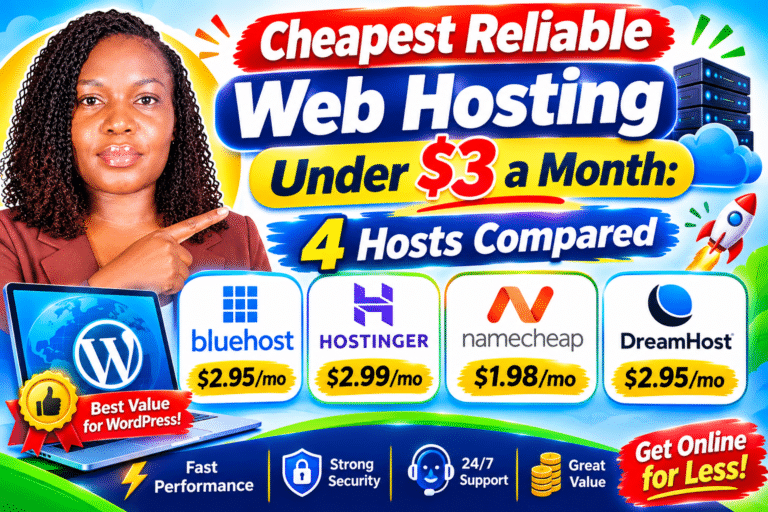
👉Cheapest Reliable Web Hosting Under $3 a Month: 4 Hosts Compared