MailerLite vs Mailchimp: Which Is Better Value in 2026?
Choosing between MailerLite vs Mailchimp used to be easy. Both had big free plans, and you could stay free for years.
That changed in 2026. Both tools cut their free plans to 250 contacts within four months of each other.
So the real question now is value. Which one gives you more for every dollar you spend?
Quick verdict: MailerLite is better value for most bloggers, creators and small businesses. It costs less at every list size we checked, and its free plan sends five times more emails.
Mailchimp still makes sense if you run an online store that leans on its ecommerce integrations and reporting. You will pay more for it.
In this comparison
- MailerLite vs Mailchimp at a glance
- What changed in 2026
- Pricing by list size
- Free plans compared
- The hidden cost: how contacts are counted
- Features that affect value
- Who should choose which
- FAQ
MailerLite vs Mailchimp at a Glance
| What matters | MailerLite | Mailchimp |
|---|---|---|
| Free plan contacts | 250 | 250 |
| Free plan emails per month | 2,500 | 500 (250 per day) |
| Automation on free plan | Yes, 3 automations | No |
| Cheapest paid plan | $12/month (Comfort) | $13/month (Essentials) |
| Cost at 5,000 contacts | $49/month | $75 to $100/month |
| Cost at 10,000 contacts | $89/month | $110 to $135/month |
| Billing for unsubscribed contacts | No | Yes, unless archived |
| Websites and landing pages | Included, even on free | Included, more limited |
| Ecommerce depth | Good for small stores | Stronger |
| Best for | Bloggers, creators, small businesses | Online stores, larger teams |
What Changed in 2026
Most comparison posts online are now out of date. Here is what moved this year.
- Mailchimp, February 2026: the free plan dropped from 500 contacts to 250. Monthly sends fell from 1,000 to 500.
- MailerLite, June 2026: the free plan dropped from 500 subscribers to 250. Monthly sends fell from 12,000 to 2,500.
- MailerLite plan names: Growing Business and Advanced are gone. The paid plans are now called Comfort and Power.
- MailerLite paid prices: these went up across every list size in the same June update.
The trend is bigger than one year. Mailchimp’s free plan covered 2,000 contacts in 2022, so it has shrunk by 87.5% in four years.
We covered the wider fallout in our guide to the best free email marketing tools.
MailerLite vs Mailchimp Pricing by List Size
Both tools charge by list size. The bigger your list, the bigger your bill.
The table below uses monthly billing in US dollars. MailerLite Comfort is the plan most readers will pick, so compare it against both Mailchimp columns.
| Contacts | MailerLite Comfort | MailerLite Power | Mailchimp Essentials | Mailchimp Standard |
|---|---|---|---|---|
| 500 | $12 | $25 | $13 | $20 |
| 2,500 | $33 | $49 | $45 | $60 |
| 5,000 | $49 | $69 | $75 | $100 |
| 10,000 | $89 | $129 | $110 | $135 |
Sources: MailerLite pricing, Mailchimp pricing and EmailTooltester’s pricing breakdown. Checked October 2026.
What the gap costs you over a year
At 500 contacts the difference is one dollar. It grows fast after that.
- 2,500 contacts: MailerLite Comfort saves $144 a year against Essentials and $324 against Standard.
- 5,000 contacts: you save $312 a year against Essentials and $612 against Standard.
- 10,000 contacts: you save $252 a year against Essentials and $552 against Standard.
The fair match for Comfort is Mailchimp Standard, not Essentials. Essentials caps automations at four steps, while Comfort gives you 50 active automations.
On that fair match, MailerLite is 51% cheaper at 5,000 contacts. That is $49 against $100 for similar automation power.
Paying yearly? MailerLite takes 10% off annual billing. Stay on monthly billing while you are still testing, because annual plans cannot be cancelled early for a refund.
Free Plans Compared
Both free plans stop at 250 contacts. What you can do with those 250 contacts is very different.
| Free plan feature | MailerLite Free | Mailchimp Free |
|---|---|---|
| Contacts | 250 | 250 |
| Emails per month | 2,500 | 500 |
| Daily send cap | None listed | 250 per day |
| Automations | 3 active | None |
| Landing pages and website | 1 landing page, 1 website | Basic |
| Signup forms and popups | 3 active | Included |
| User seats | 2 | 1 |
| Sell a digital product | 1 product or booking | No |
| Support | Knowledge base only | Email for first 30 days |
| Tool branding on emails | Yes | Yes |
Do the maths on sends. With 250 contacts, MailerLite lets you email your full list ten times a month.
Mailchimp lets you email that same list twice. A weekly newsletter is already too much for it.
Automation is the bigger gap. A simple welcome email works on MailerLite’s free plan and does not work on Mailchimp’s.
Winner: MailerLite. It is the only one of the two free plans you can run a real newsletter on.
The Hidden Cost: How Each Tool Counts Contacts
This is the part most pricing pages do not explain well. It can change your bill more than the plan price does.
MailerLite bills for active subscribers only. Unsubscribed and bounced addresses do not count.
Mailchimp counts unsubscribed contacts toward your limit until you archive them. It also counts the same person twice if they sit in two separate audiences.
Here is a simple example. A list of 4,600 active readers plus 600 old unsubscribes is billed as 4,600 on MailerLite and 5,200 on Mailchimp.
That pushes you into the next Mailchimp price band without a single new reader. Archive unsubscribes every month if you stay on Mailchimp.
Send limits on paid plans
- MailerLite Comfort: 10 times your subscriber limit each month.
- MailerLite Power: unlimited emails.
- Mailchimp Essentials: 10 times your contact limit.
- Mailchimp Standard: 12 times your contact limit.
Most small senders never hit these caps. Daily senders should look at MailerLite Power, because no Mailchimp plan below Premium is unlimited.
Features That Affect Value
Price is only half of value. The other half is what you get for it.
Ease of use
Both tools use a drag and drop editor. MailerLite’s dashboard is simpler, with fewer menus to learn.
Mailchimp has grown into a wider marketing platform. That brings more options, and more screens between you and the send button.
Winner: MailerLite for beginners. Read our full MailerLite review for a closer look at the editor.
Automation
MailerLite includes automation on every plan, starting with three workflows for free. Comfort raises that to 50 active automations.
Mailchimp gives free users none. Essentials allows up to four steps, and Standard opens up to 200 steps.
So Mailchimp can go deeper, but only from $20 a month. MailerLite gives you working automation for $0.
Winner: MailerLite on value. Mailchimp Standard wins on raw depth.
Landing pages and websites
MailerLite bundles a website builder, landing pages, forms and popups into every plan. Comfort allows 10 websites and landing pages.
That saves you buying a separate landing page tool. For a new blog, that alone can cover the plan cost.
Winner: MailerLite.
Ecommerce and integrations
This is where Mailchimp earns its price. Its store integrations, product recommendations and revenue reports are more developed.
MailerLite connects to Shopify and WooCommerce and handles the basics well. It is lighter on deep customer analytics.
Winner: Mailchimp. Store owners should also read our ActiveCampaign vs Mailchimp comparison.
Deliverability
A cheap tool is poor value if your emails land in spam. Here the two are close.
In EmailTooltester’s deliverability tests, the last numeric round in January 2024 scored MailerLite at 89.8% and Mailchimp at 89.5%. MailerLite also held the best five-round average at 94.41%.
Those figures are a guide, not a guarantee. Your own list quality and domain setup matter more than the tool.
Winner: tie, with a slight edge to MailerLite over time.
Support
MailerLite’s free plan has no direct support. Comfort adds email support, and Power adds 24/7 live chat.
Mailchimp gives free users email support for the first 30 days only. Paid plans include email and chat support.
Winner: tie. Neither free plan gives you lasting human help.
Who Should Choose MailerLite, and Who Should Choose Mailchimp?
Choose MailerLite if
- You are a blogger, creator, coach or small business.
- You want automation without paying for a higher tier.
- You need landing pages or a simple website included.
- Your list is growing and you want the lower bill.
- You sell one or two digital products or bookings.
Choose Mailchimp if
- You run an online store and need deep ecommerce reporting.
- Your team already works inside Mailchimp.
- You need very long, complex automation journeys.
- A specific tool you rely on only connects to Mailchimp.
Already on Mailchimp and feeling the price? Our step by step guide shows how to migrate from Mailchimp to MailerLite without losing subscribers.
Still weighing other options? See MailerLite vs Kit and Kit vs Mailchimp, or start with our list of the best email marketing software.
The Bottom Line
Email is still one of the best returns in marketing. Litmus puts the average return at $36 for every $1 spent.
The tool you pick decides how much of that return you keep. On that test, MailerLite wins the MailerLite vs Mailchimp value contest in 2026.
It is cheaper at every list size we checked. It also gives you automation, landing pages and five times more free sends.
Mailchimp is not a bad tool. It is a more expensive one, and the extra cost only pays off for stores and larger teams.
Our advice is simple. Start on MailerLite’s free plan, then move to Comfort when you pass 250 subscribers.
Ready to test them yourself? Both free plans need no credit card.Try MailerLite freeVisit Mailchimp
Want the full picture first? Read our MailerLite review and Mailchimp review.
MailerLite vs Mailchimp FAQ
Is MailerLite cheaper than Mailchimp?
Yes. MailerLite Comfort costs $49 a month at 5,000 contacts, while Mailchimp costs $75 on Essentials and $100 on Standard.
Which has the better free plan in 2026?
MailerLite. Both allow 250 contacts, but MailerLite sends 2,500 emails a month with automation, while Mailchimp sends 500 with none.
Does Mailchimp charge for unsubscribed contacts?
Yes, unsubscribed contacts count toward your limit until you archive them. MailerLite only bills for active subscribers.
Is MailerLite good for beginners?
Yes. The dashboard is simple, and the free plan includes forms, a landing page and three automations.
Is Mailchimp still worth it?
It can be for online stores that use its ecommerce features every day. For newsletters and blogs, you can get the same results for less.
Can I switch from Mailchimp to MailerLite?
Yes. You export your contacts from Mailchimp and import them into MailerLite, then rebuild your forms and automations.
Which has better deliverability?
They are close. EmailTooltester’s January 2024 round scored MailerLite at 89.8% and Mailchimp at 89.5%.
Prices and plan limits were checked in October 2026 and are shown in US dollars on monthly billing. Providers change pricing often, so confirm on the official pages before you buy. See our affiliate disclosure.

About Vincencia Anyango
IT graduate and freelance web specialist who has built WordPress sites and run email campaigns for clients since 2020. Every review on SoftwareStackPro is based on hands on testing. More about how I review →
Related reading
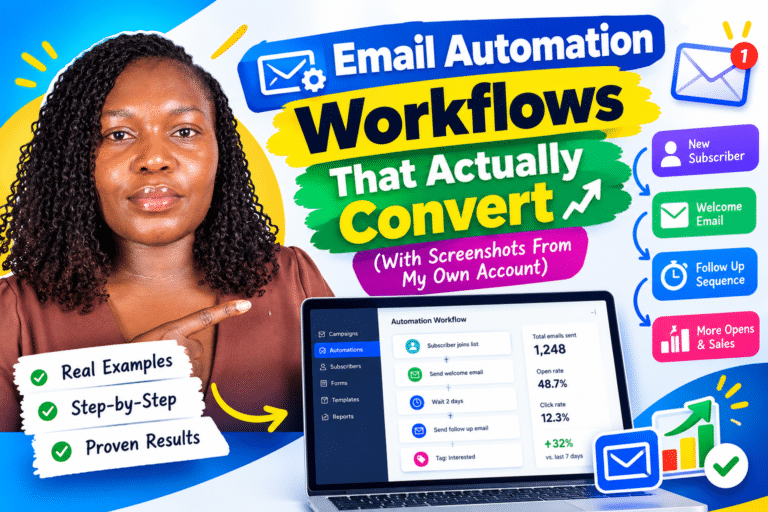
>>>Email Automation Workflows That Actually Convert (With Screenshots From My Own Account)
>>>Kit vs Mailchimp: Which One Should Bloggers Choose?
>>>How to Build an Email List From Zero to 1,000 Subscribers