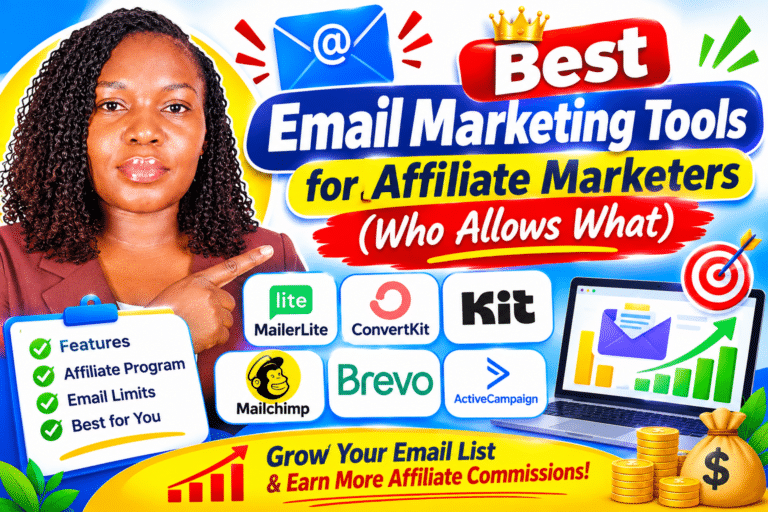
5 Best Mailchimp Alternatives in 2026 That Are Cheaper and Easier

By Vincencia Anyango · Founder & Lead Reviewer
Last updated: Oct 2026 · 8 min read
Looking for Mailchimp alternatives that cost less and feel simpler? You are not alone, and you have good options.
Mailchimp’s free plan now stops at 250 contacts and 500 emails a month. In 2022 it allowed 2,000 contacts, so the free tier has shrunk by 87.5%.
I checked every price in this guide against the official pricing pages on 9 October 2026. Below are five tools that give you more room for less money.
Quick answer
MailerLite is the best all-round swap for most small businesses. Kit is the best free plan if you are a blogger or creator.
Brevo suits big lists that email rarely. EmailOctopus is the cheapest simple newsletter tool, and ActiveCampaign wins on automation.
Why people are leaving Mailchimp in 2026
Email still pays. Litmus puts the average return at $36 for every $1 spent, and Statista counts about 4.73 billion email users in 2026.
So the channel is not the problem. The cost of the tool is.
Here is what changed on Mailchimp’s pricing page:
- Free plan cut again. It dropped to 250 contacts and 500 sends a month in January 2026, as TechRadar reported.
- A daily cap. Free users can send only 250 emails a day.
- No automation on Free. Automation flows are “Not included” on the free plan.
- No scheduling on Free. You also cannot remove the Mailchimp branding.
- Support runs out. Free users get email support for the first 30 days only.
- Overage bills. On paid plans, Mailchimp bills you automatically if you pass your contact or send limit.
Mailchimp also counts unsubscribed contacts toward your bill unless you archive them. Several rivals charge for active subscribers only.
Want the full picture first? Read my Mailchimp review for the good and the bad.
Mailchimp alternatives compared at a glance
| Tool | Best for | Free plan | Paid plans from |
|---|---|---|---|
| Mailchimp (baseline) | Teams that need 300+ integrations | 250 contacts, 500 emails a month | $13 a month |
| MailerLite | Beginners and small businesses | 250 subscribers, 2,500 emails a month | $12 a month |
| Kit | Bloggers and creators | Up to 10,000 subscribers, unlimited broadcasts | $33 a month billed yearly (1,000 subscribers) |
| Brevo | Large lists that send rarely | 300 emails a day | About $9 a month for 5,000 emails |
| EmailOctopus | Plain newsletters on a tight budget | 2,500 subscribers, 10,000 emails a month | $9 a month billed yearly |
| ActiveCampaign | Serious automation | None (14-day free trial) | $15 a month (1,000 contacts) |
Prices in USD, checked on 9 October 2026. Plans change often, so confirm on each pricing page before you buy.
How much email does each free plan really give you?
Contact limits tell half the story. The number of emails you can send to each person matters just as much.
| Free plan | Contacts | Emails a month | Sends per contact at a full list | Automation |
|---|---|---|---|---|
| Mailchimp | 250 | 500 | 2 | No |
| MailerLite | 250 | 2,500 | 10 | Yes, 3 automations |
| EmailOctopus | 2,500 | 10,000 | 4 | Check the plan table |
| Kit | 10,000 | Unlimited broadcasts | Unlimited | No (paid plans only) |
A full Mailchimp free list can hear from you twice a month. A full MailerLite free list can hear from you ten times, which is five times more.
1. MailerLite: best Mailchimp alternative overall
MailerLite is the closest match to what Mailchimp used to be. It is clean, quick to learn, and cheaper at the start.
The Comfort plan starts at $12 a month and Power starts at $25. Mailchimp’s Standard plan, the one with real automation, starts at $20.
That makes MailerLite’s entry price 40% lower than Mailchimp Standard. Every paid plan also gets the full feature set, so you pay for list size and not for locked features.
The free plan gives you 250 subscribers, 2,500 emails a month, 3 automations, a website and a landing page. MailerLite bills only for active subscribers, so unsubscribes do not cost you.
What I like
- Automation on the free plan
- Unsubscribed contacts are not billed
- 30% nonprofit discount (Mailchimp gives 15%)
- 14-day trial of premium features
What to watch
- Free plan is also capped at 250 subscribers
- 100+ integrations versus Mailchimp’s 300+
- Live chat is on the Power plan only
Go deeper with my MailerLite review. I also put the two head to head in MailerLite vs Mailchimp.
2. Kit: best free plan for bloggers and creators
Kit used to be called ConvertKit. Its free plan is the most generous on this list.
You can hold up to 10,000 subscribers for free. That is 40 times Mailchimp’s free contact limit.
You also get unlimited landing pages, forms and email broadcasts. You can even sell digital products and paid newsletters on the free plan.
The catch is automation. Visual automations and email sequences start on the Creator plan, which costs $33 a month billed yearly for 1,000 subscribers.
What I like
- 10,000 subscribers free
- Unlimited broadcasts and landing pages
- Only unique, active subscribers count
- Used by 550,000+ creators
What to watch
- No automations or sequences on Free
- Paid plans cost more than Mailchimp at small list sizes
- One user on the free plan
Read the full Kit (ConvertKit) review for my take. Bloggers should also see Kit vs Mailchimp.
3. Brevo: best for big lists that email rarely
Brevo charges for emails sent, not contacts stored. That flips Mailchimp’s model on its head.
Say you have 5,000 contacts but email them once a month. On Mailchimp you pay for all 5,000 people, while on Brevo you pay for 5,000 emails.
The free plan lets you send 300 emails a day. Paid plans start with the Starter tier at 5,000 emails a month, from about $9.
Marketing automation and A/B testing sit on the Standard plan. All plans include transactional email, which is handy for shop receipts and password resets.
What I like
- You are not punished for a growing list
- Email, SMS and WhatsApp in one place
- Trusted by 600,000+ customers
What to watch
- 300 a day is tight for one big send
- Automation needs the Standard plan
- More menus to learn than MailerLite
4. EmailOctopus: cheapest simple newsletter tool
EmailOctopus does one job well. It sends newsletters at a low price.
The free plan covers 2,500 subscribers and 10,000 emails a month. That is 10 times Mailchimp’s free contacts and 20 times its free sends.
The Pro plan starts at $9 a month when billed yearly. It removes the EmailOctopus branding and unlocks unlimited landing pages, forms and users.
What I like
- Very generous free plan
- Simple editor with 100+ templates
- 20% lifetime nonprofit discount
What to watch
- EmailOctopus branding on free emails
- Free reports last only 30 days
- Fewer advanced features than the others
5. ActiveCampaign: best for serious automation
ActiveCampaign is not the cheapest option here. It earns its place because its automation is far deeper than Mailchimp’s.
Plans start at $15 a month for 1,000 contacts. That is $2 more than Mailchimp Essentials, but you get real multi-step automation from day one.
You also get 950+ automation recipes and 1,000+ integrations. There is no free plan, only a 14-day free trial and a 30-day money-back guarantee.
What I like
- Best automation builder on this list
- Free contact migration
- Used by 180,000+ businesses
What to watch
- No free plan
- Starter limits you to 5 actions per automation
- Steeper learning curve for beginners
My ActiveCampaign review shows who should pay for it and who should not.
Which Mailchimp alternative should you pick?
- You want the easiest switch: pick MailerLite.
- You are a blogger with no budget: pick Kit’s free plan.
- You have a big list and send monthly: pick Brevo.
- You only send a simple newsletter: pick EmailOctopus.
- You sell with funnels and follow-ups: pick ActiveCampaign.
When Mailchimp is still the right call
Stay if your team already knows it well and your store depends on its 300+ integrations. Mailchimp says Standard plan users see up to 27x ROI, so it can still pay off at the right size.
How to switch from Mailchimp in 5 steps
- Clean your list first. Archive unsubscribed and inactive contacts so you do not move dead weight.
- Export your audience. Download it as a CSV file with tags and groups included.
- Import into the new tool. Map your fields and tags during the upload.
- Authenticate your domain. Add the SPF, DKIM and DMARC records the new tool gives you.
- Rebuild forms and automations. Then swap the signup forms on your website.
Send to your most engaged subscribers first. That helps your emails keep landing in the inbox while the new account warms up.
Kit and ActiveCampaign both offer free migration help. MailerLite has a dedicated Mailchimp integration to pull your contacts across.
Frequently asked questions
What is the cheapest alternative to Mailchimp?
EmailOctopus is the cheapest paid option at $9 a month billed yearly. Brevo also starts at about $9 a month for 5,000 emails.
Which Mailchimp alternative has the best free plan?
Kit has the largest free plan with up to 10,000 subscribers. MailerLite’s free plan is smaller but includes 3 automations.
Is MailerLite better than Mailchimp?
For most small lists, yes. MailerLite starts at $12 a month, includes automation on the free plan and does not bill for unsubscribed contacts.
Is Mailchimp still free in 2026?
Yes, but only for 250 contacts and 500 emails a month. The free plan has no automation, no scheduling and a 250 email daily limit.
Will I lose my subscribers if I leave Mailchimp?
No. You can export your full audience as a CSV file and import it into any tool on this list.
The bottom line
Mailchimp is still a capable tool. It is just no longer the cheapest or the easiest place to start.
Start with MailerLite if you want a simple, low-cost swap. Choose Kit if a big free plan matters most to you.
Still comparing? Browse all my email marketing reviews to find the right fit for your list.

About Vincencia Anyango
IT graduate and freelance web specialist who has built WordPress sites and run email campaigns for clients since 2020. Every review on SoftwareStackPro is based on hands on testing. More about how I review →
Related reading :
>>>Best Free Email Marketing Plans Compared Side by Side
>>>Email Automation Workflows That Actually Convert (With Screenshots From My Own Account)